

Templates
Templates load an existing Excel file and expand a data row for each data item.
<Template src="./template.xlsx" data={{ columns: [ { id: "name", names: ["Name"] }, { id: "price", names: ["Price"] }, ], rows: [ { name: "Widget", price: 10 }, { name: "Gadget", price: 20 }, ], }}/>How it works
- The template scans for a header row that matches
columns[].names. - The next row is treated as the placeholder row.
- That row is duplicated once per data item.
See it in practice
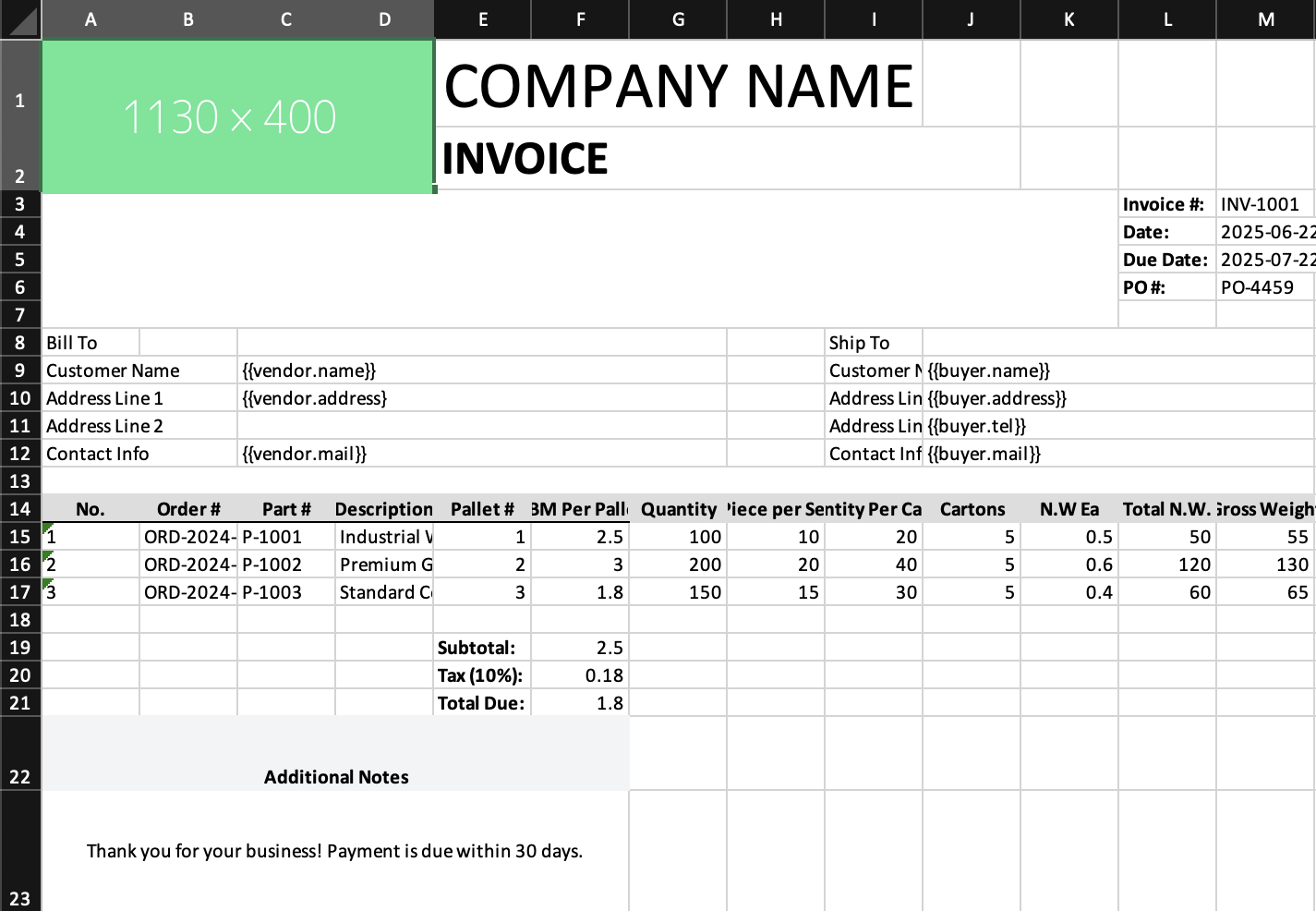
- Source:
examples/06-templates.tsx - The example imports a pre-designed invoice layout, fills the line-item table, and then appends extra JSX rows after the template content
Tips
- Keep the placeholder row directly beneath the header row.
- Use cell formulas in your template; they are preserved and offset.
- Use templates when layout is easier to design visually in Excel than in JSX.
Current scope
- Template expansion currently focuses on duplicating the data row beneath a matched header row.
- Row formulas are offset as rows move.
- Non-row placeholders that live elsewhere in the sheet are not replaced yet, which is why some placeholders remain visible in the example screenshot.